Installation — PrestaShop
Step-by-step guide to installing EasyReturn on your PrestaShop store.
Overview
EasyReturn for PrestaShop is a native module that adds a legally compliant withdrawal process directly to your store. Customers can submit withdrawal requests from their account — no emails, no phone calls. All requests are stored in your database and managed from a dedicated admin panel.
Requirements
- An active PrestaShop store
- Admin access to the PrestaShop backend
- A registered EasyReturn account
Compatibility
- PrestaShop: 1.7.8 – 9.0.0
- PHP: 7.4 or higher
Installation steps
Download the module ZIP
Download the latest EasyReturn release as a ZIP file from the EasyReturn website.
Go to Modules → Module Manager
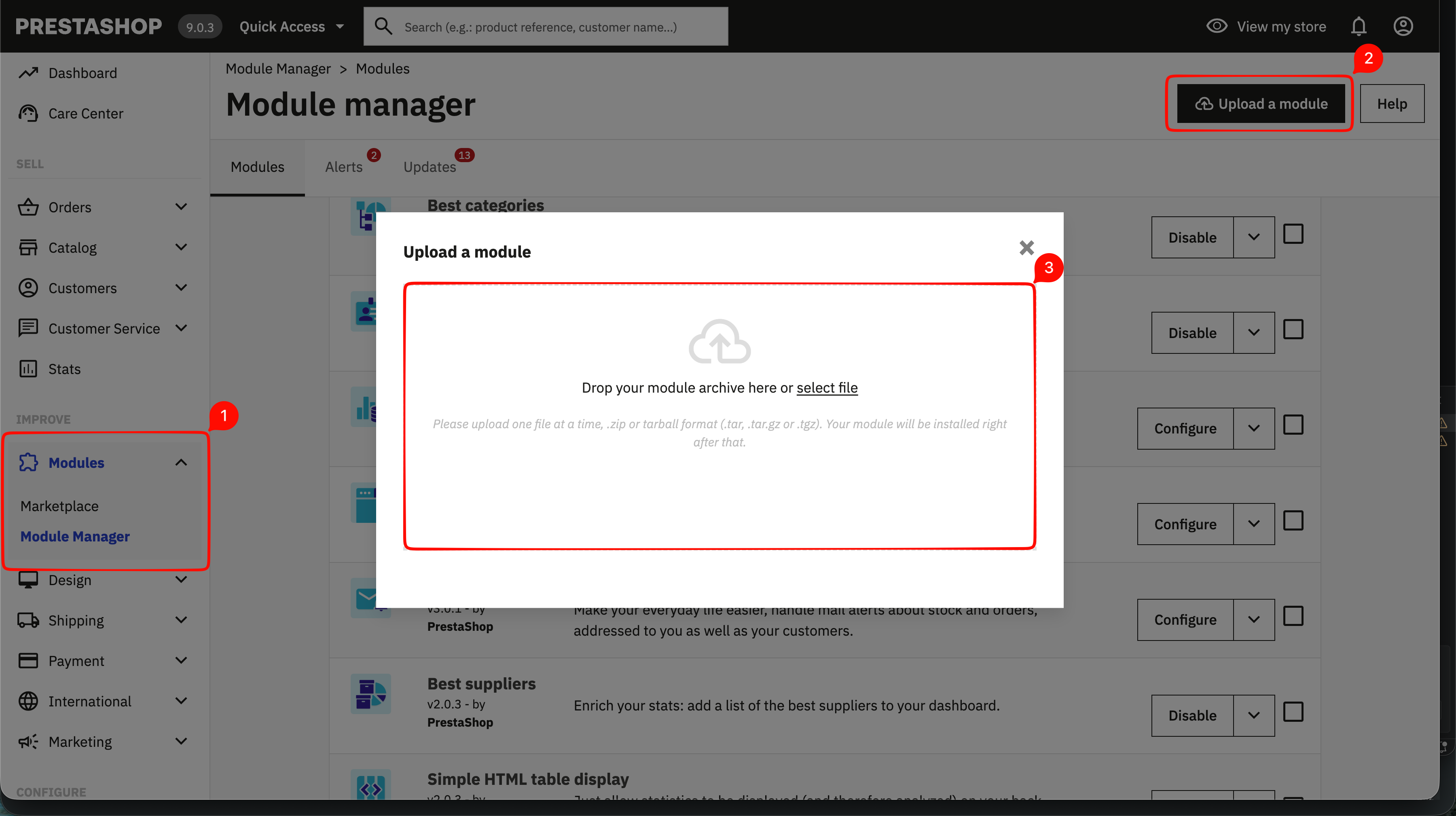
In your PrestaShop admin navigate to Modules → Module Manager, then click the Upload a module button in the top right corner.
Upload the ZIP file
Drop the downloaded ZIP file into the upload area or click select file to choose it manually. The module installs automatically.
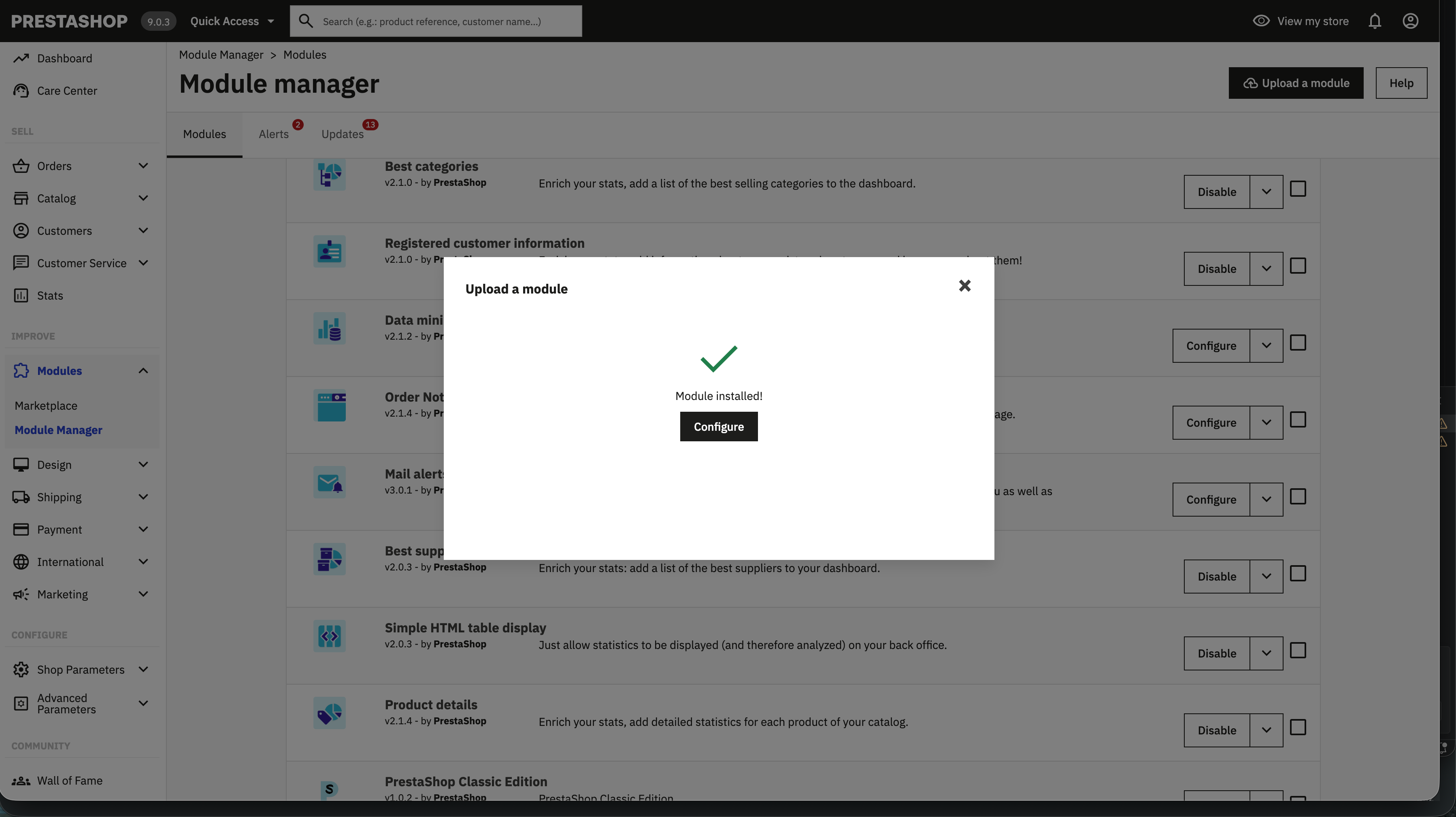
Click Configure
Once PrestaShop confirms the module was installed successfully, click Configure to open the EasyReturn settings.