Configuration — Magento
All EasyReturn settings are available in your Magento admin under Stores → Configuration → EasyReturn → Withdrawal Button. The settings panel is divided into ten sections: General, Return Address, Plugin Registration, E-mail notification, Order Status Change, Shipment Integration, Button Appearance, Return Reasons, Widget, and Link in email. Remember to click Save Config after making changes.
General
Define the return window, which orders are eligible, and what the customer sees on the return form.
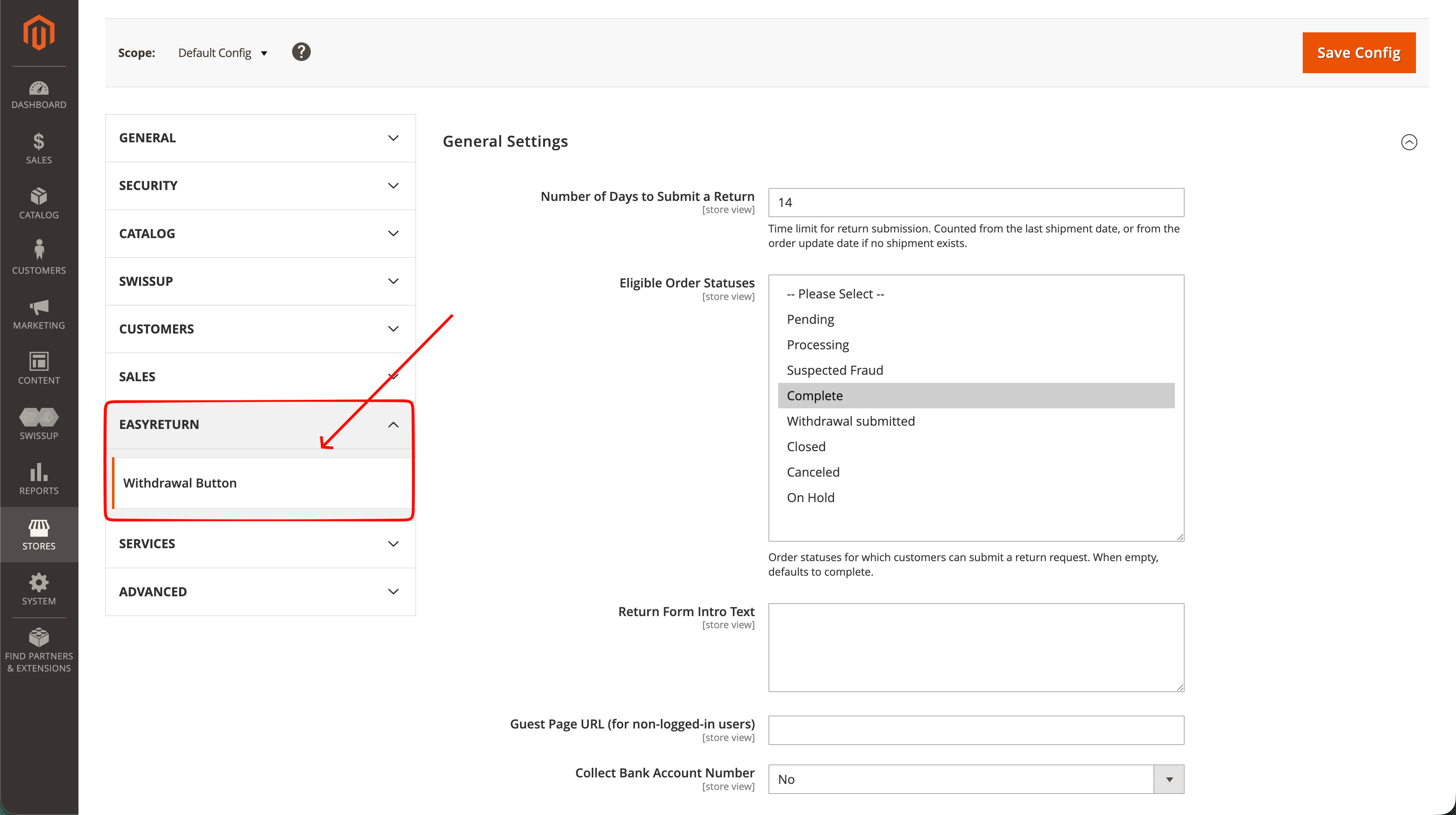
Number of Days to Submit a Return
The time frame for withdrawal — the limit for submitting a return. Counted from the last shipment date, or from the order update date if no shipment exists. If you don't use this status in your store, set a higher number of days to ensure the consumer has received the shipment. Defaults to 14 days.
Eligible Order Statuses
The order statuses for which customers can submit a return request. If left empty, it defaults to Complete.
Return Form Intro Text
Sets the header shown on the withdrawal form.
Guest Page URL (for non-logged-in users)
The URL of the withdrawal form for non-logged-in users. You can link it anywhere on your store — for example in the terms and conditions or FAQ sections.
Collect Bank Account Number
Displays a bank account number field for refunds on the form. Completing it is optional for the consumer.
Return Address
Enter the return address. The consumer sees it after submitting a withdrawal request, so they know where to send the returned products.
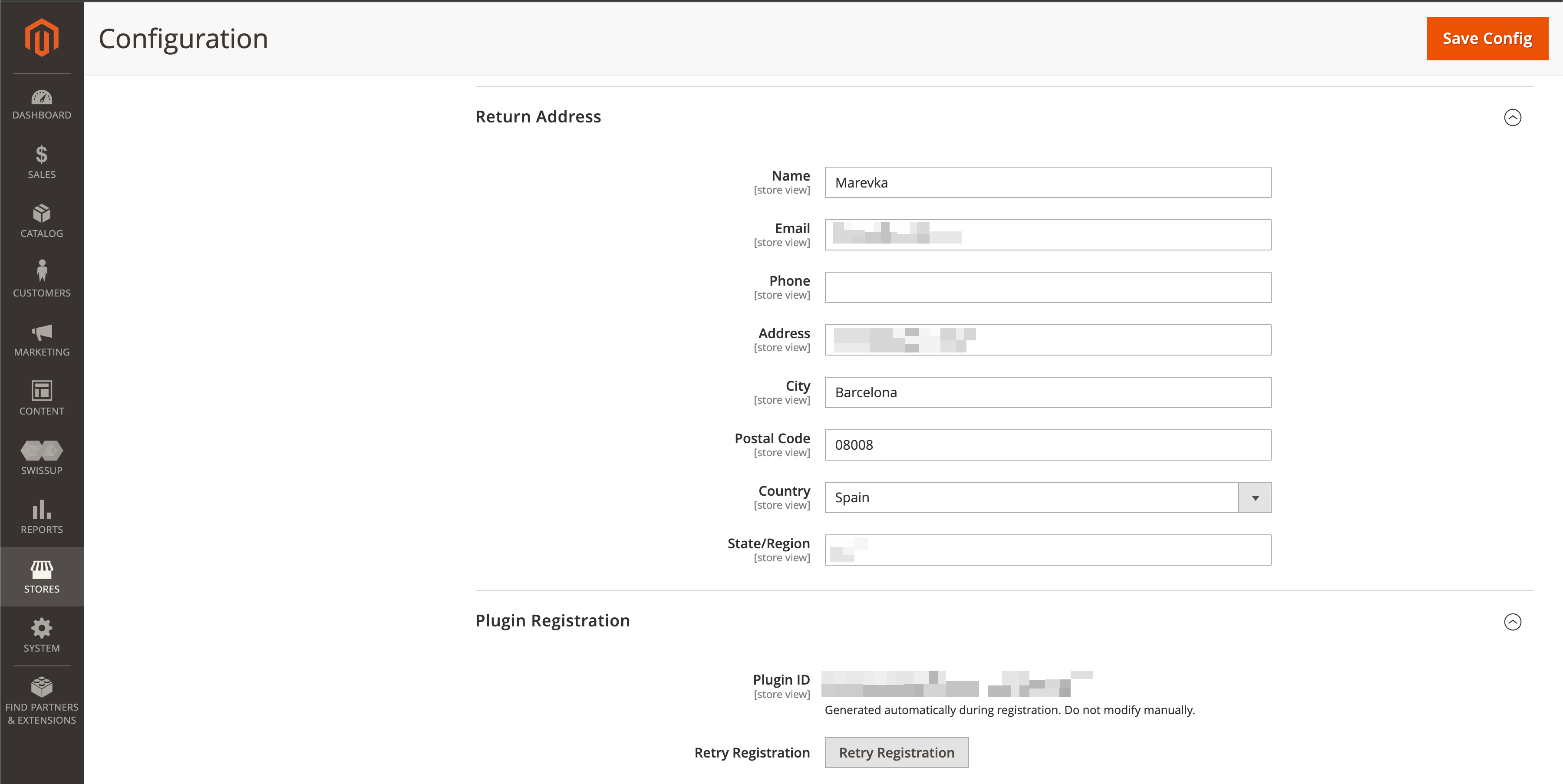
Plugin Registration
The plugin registers automatically — no account is required.
During registration, the following store data is sent once to the api.easyreturn.eu API:
- Store name, phone number, and address (city, postal code, country)
- Administrator email address
- Store domain and Magento version
The Plugin ID is generated automatically — do not modify it manually. If registration did not complete, use Retry Registration.
E-mail notification
After submitting a withdrawal request, the customer receives a withdrawal confirmation. Here you decide whether your store is also notified whenever a customer submits a withdrawal request.
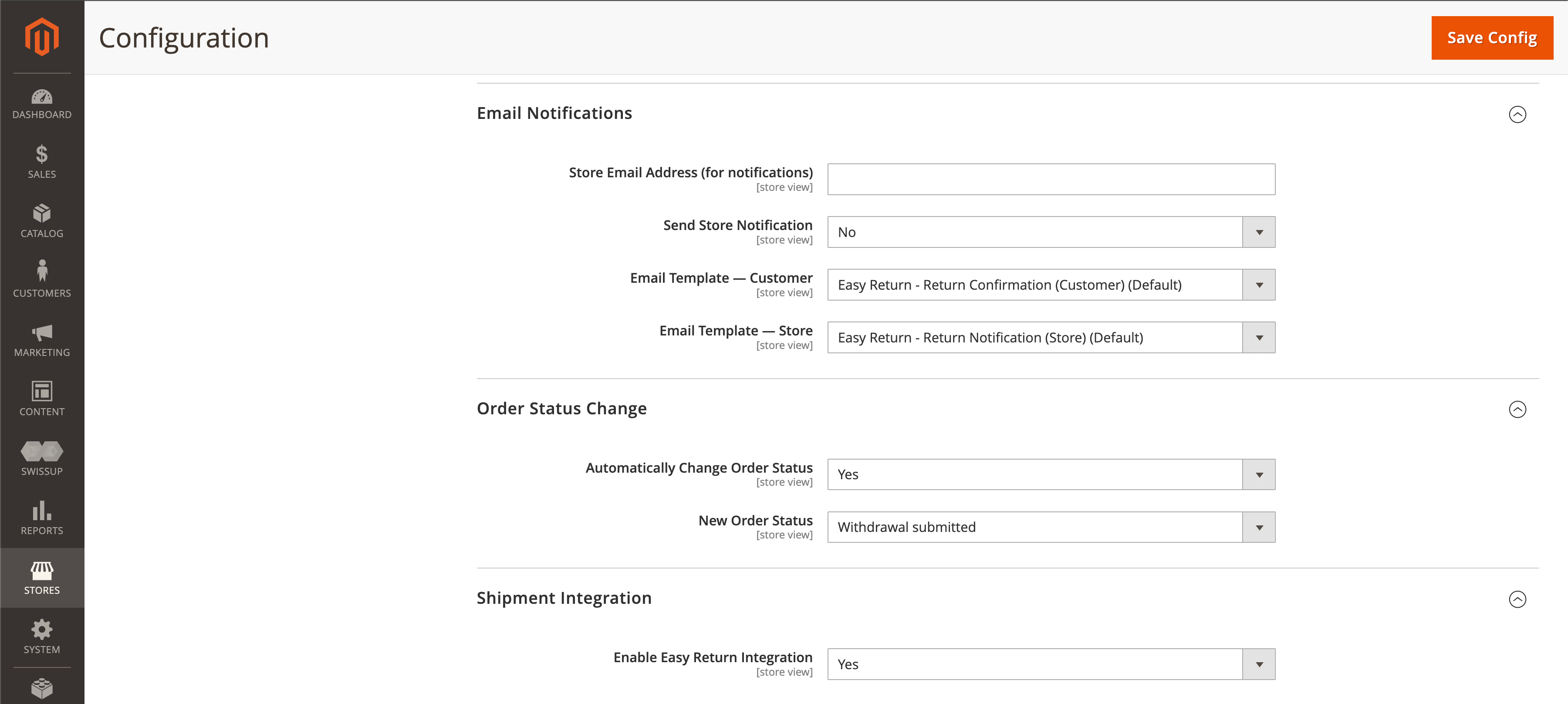
You can edit the email template in the admin panel under the Email Messages section.
Order Status Change
Decide whether the order status is automatically updated after the customer submits a withdrawal.
The module adds a new status, Withdrawal Submitted, but you can also create your own custom status and select it here if preferred.
Shipment Integration
Enable carrier integration so that, after submitting a withdrawal, your customer can immediately create a return shipment at their own expense in a simple way.
Note: this feature is available in selected countries.
Button Appearance
Place the 'Withdraw from the contract' button in your store's footer and on the order details page.
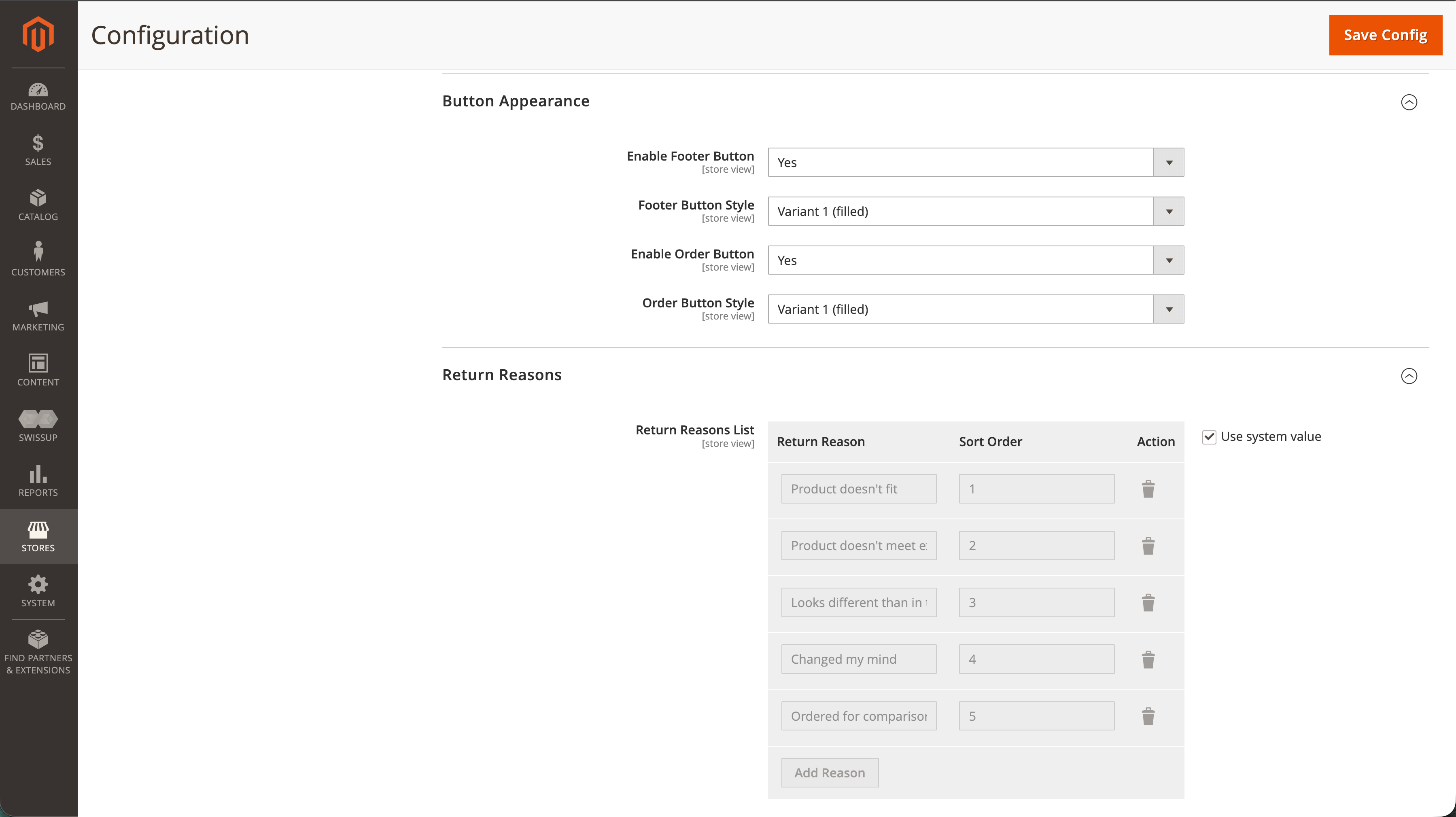
You can choose from predefined button styles or use a custom appearance by providing CSS styles consistent with the buttons used in your store.
Return Reasons
Enable return reason display. Use predefined reasons or define your own to match your store's product assortment. Providing a return reason is optional for the customer.
Widget
The module provides an informational widget describing the return process. To display it, embed it on any CMS page or static block.
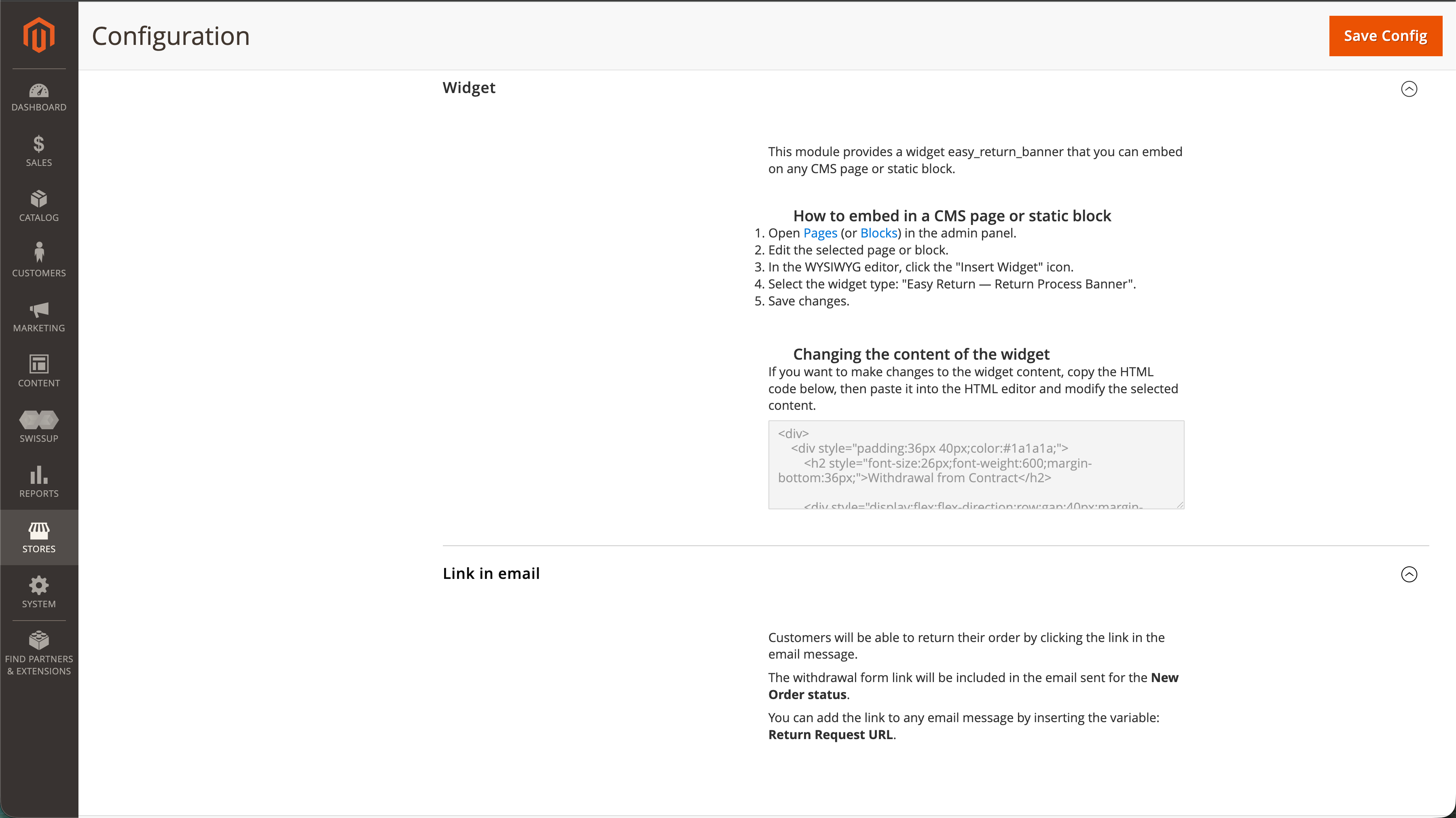
How to embed the widget
- Open Pages (or Blocks) in the admin panel.
- Edit the selected page or block.
- In the WYSIWYG editor, click the Insert Widget icon.
- Select the widget type: Easy Return — Return Process Banner.
- Save changes.
Changing the content of the widget
To adjust the widget content, copy the provided HTML code, paste it into the HTML editor, and modify the selected content.
Link in email
Customers can return their order by clicking the link in the email message.
The withdrawal form link is included automatically in the email sent for the New Order status. You can also add it to any email message
by inserting the variable
Return Request URL
.