Installation — WooCommerce
Step-by-step guide to installing EasyReturn on your WordPress WooCommerce store.
Overview
EasyReturn for WooCommerce is a native WordPress plugin that adds a legally compliant return process directly to your store. Customers can submit return requests from their account - no emails, no phone calls. All requests are stored in your WordPress database and managed from a dedicated admin dashboard.
Requirements
- An active WordPress + WooCommerce store
- Admin access to the WordPress backend
- A registered EasyReturn account
Compatibility
- WooCommerce: 6.4 or higher
- WordPress: 6.x or higher
- PHP: 7.4 or higher
Installation steps
Download the plugin ZIP
Download the latest EasyReturn release as a ZIP file from the EasyReturn website.
Go to Plugins → Add New Plugin → Upload Plugin
In your WordPress admin navigate to Plugins → Add New Plugin, then click the Upload Plugin button at the top.
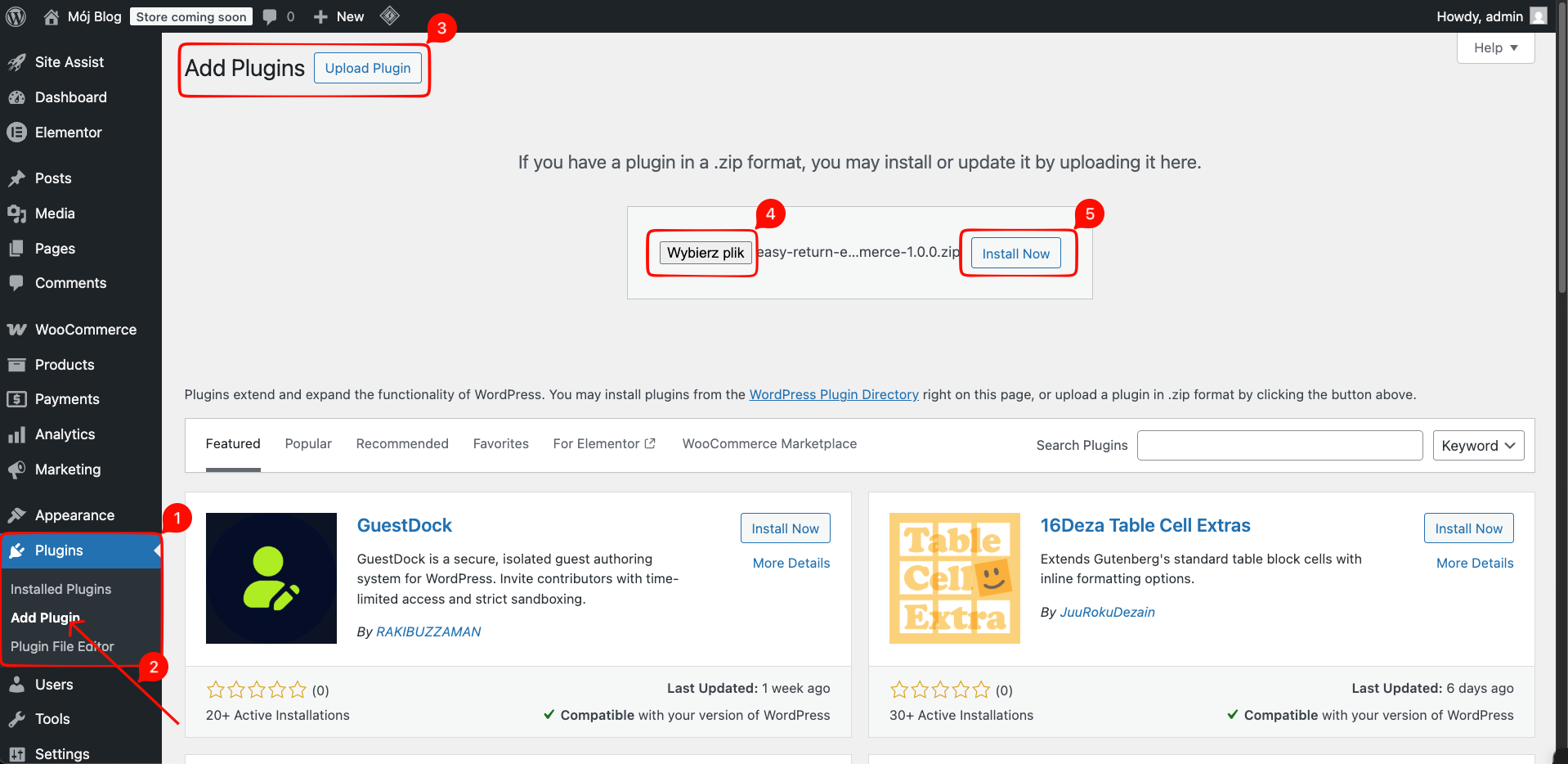
Select and upload the ZIP file
Click Choose File, select the downloaded easyreturn.zip file, and click Install Now.
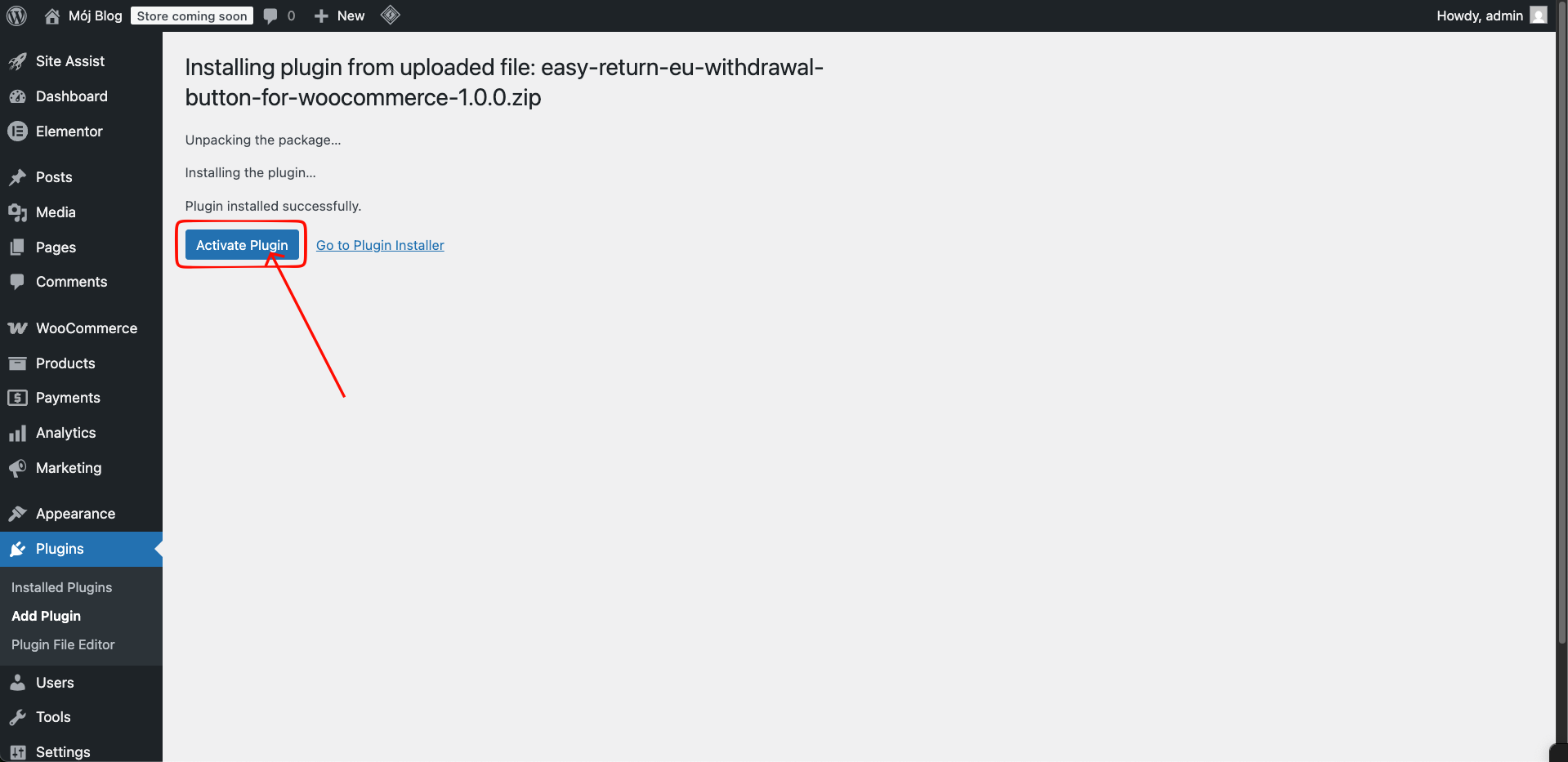
Activate the plugin
Once WordPress confirms the plugin was installed successfully, click Activate Plugin.
After installation
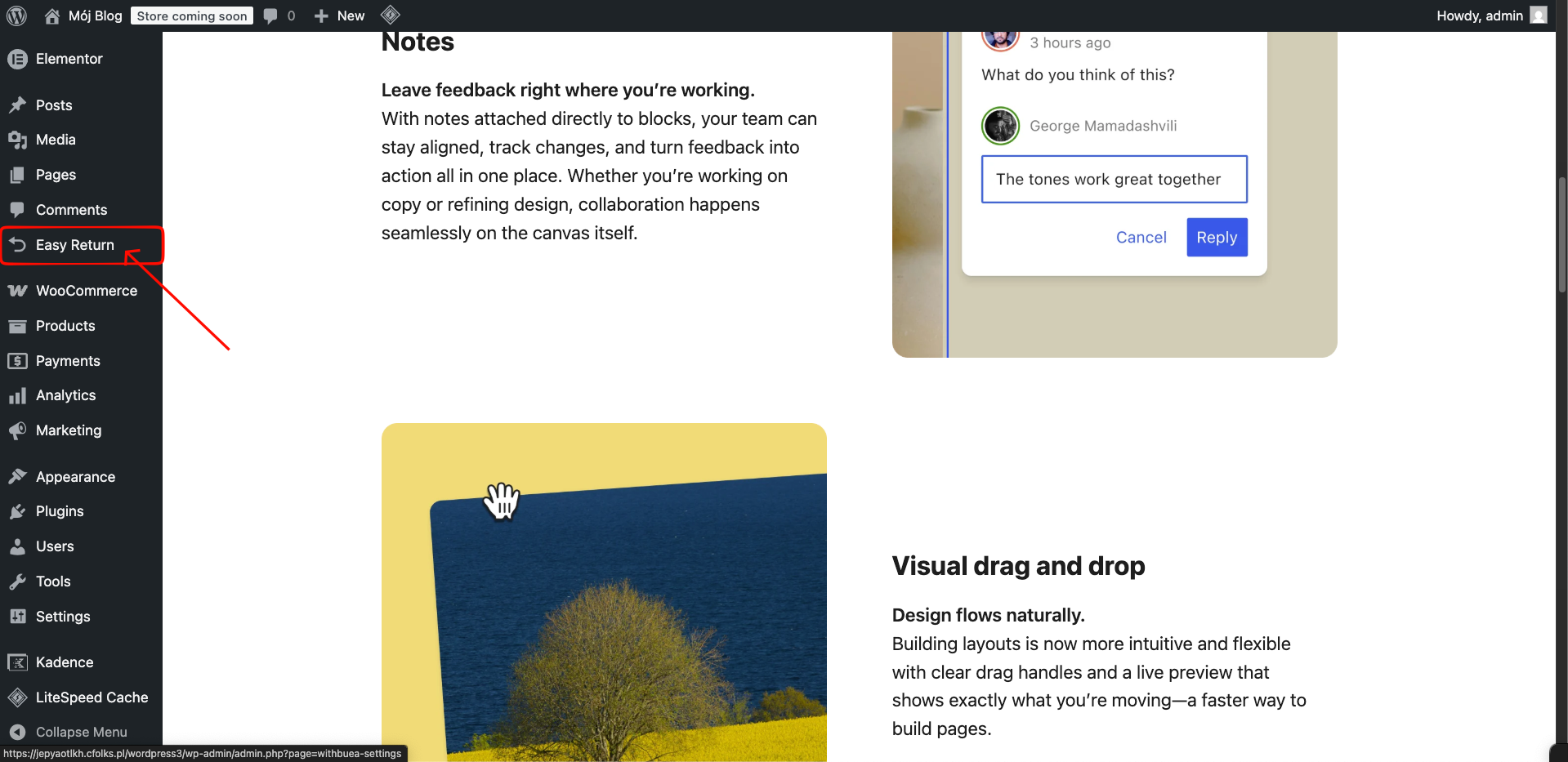
Easy Return in sidebar
After activation, Easy Return appears in your WordPress admin sidebar. This is where you manage all return requests and configure the plugin settings.
Returns button on orders
The returns button is automatically injected into the customer's order history page. Customers can initiate a return directly from their account without contacting support.