How it works — Magento
A complete walkthrough of the withdrawal process — from the customer's first click in the store to the admin reviewing the request inside the Magento order.
Customer flow
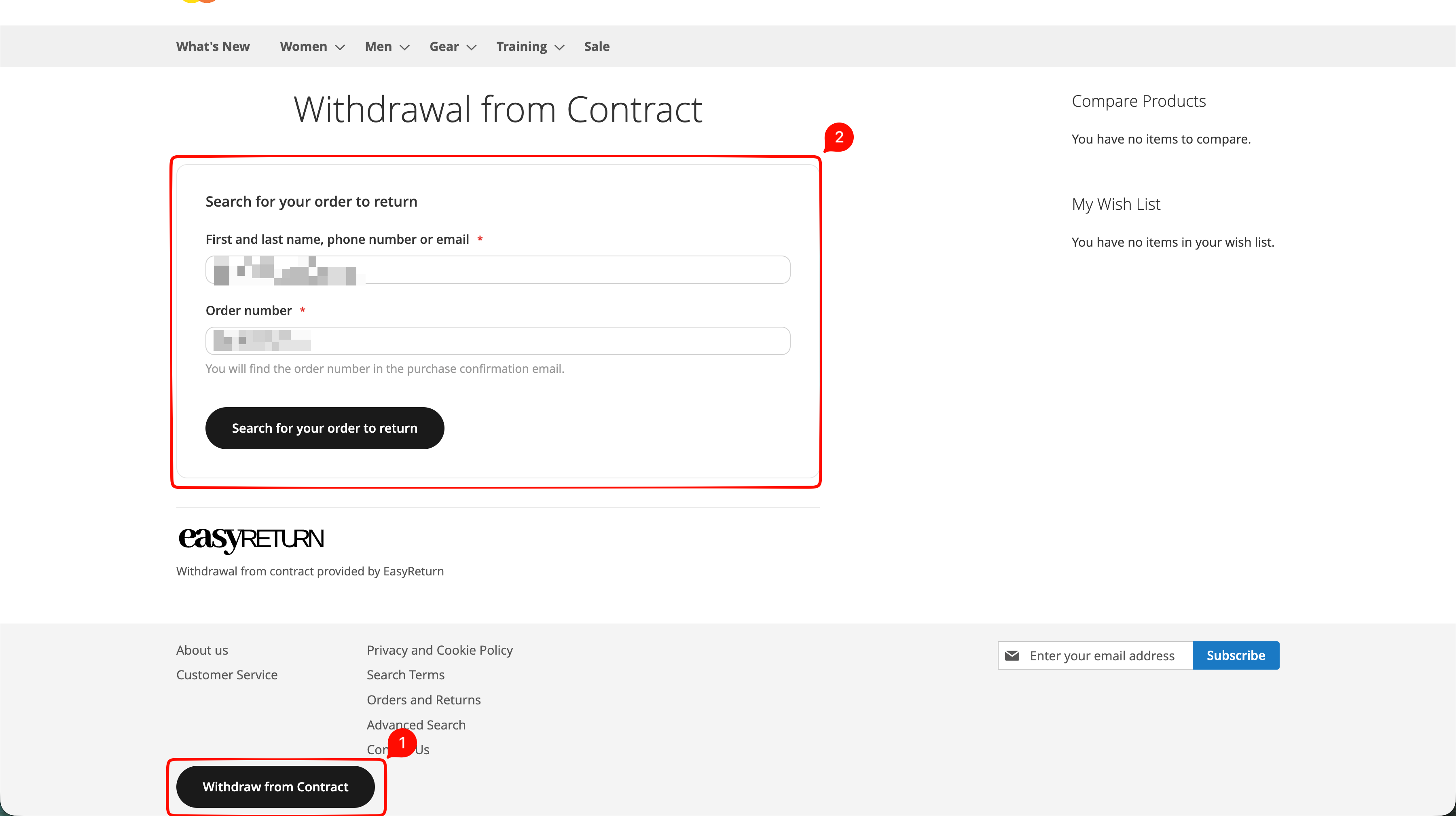
The Withdraw from Contract button appears in the store footer on every page — available to all customers. Logged-in customers also have a shortcut directly on the order details page.
Open the withdrawal form and find the order
The customer clicks the 'Withdraw from Contract' button in the footer, then enters the name, phone number or email used at checkout together with the order number. EasyReturn uses these to locate and verify the order.
Select products and reason
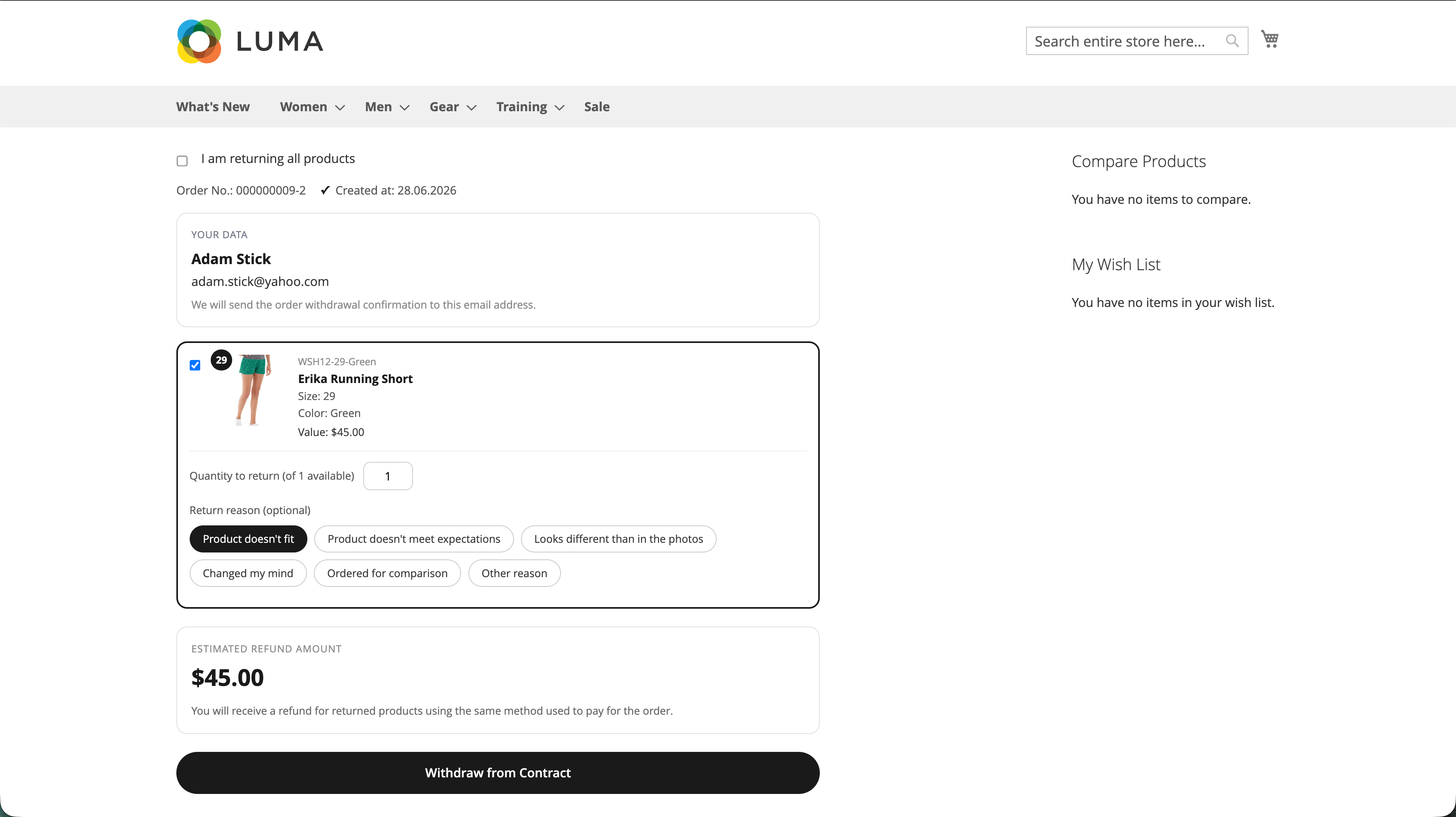
After the order is verified, the customer selects the products to return (or marks 'I am returning all products'), sets the quantity, and optionally picks a return reason for each item. The estimated refund amount is calculated in real time and refunds use the original payment method.
Withdrawal accepted
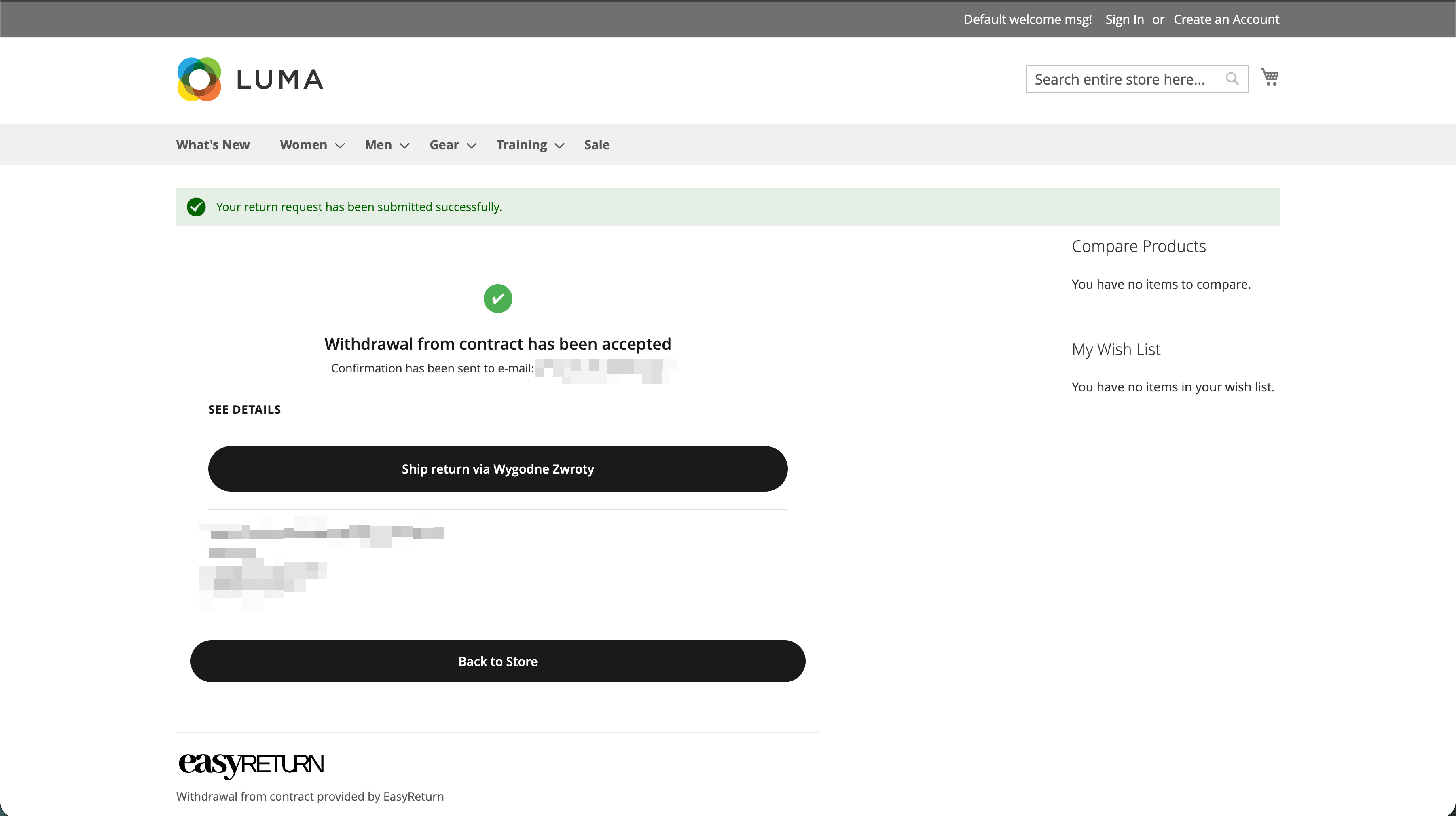
After submitting, the customer sees a confirmation that the withdrawal has been accepted and a confirmation email is sent automatically. If carrier integration is enabled, a 'Ship return via Wygodne Zwroty' button lets them create a return shipment — otherwise the store's return address is shown for self-shipping.
Admin flow
Review the withdrawal inside the Magento order
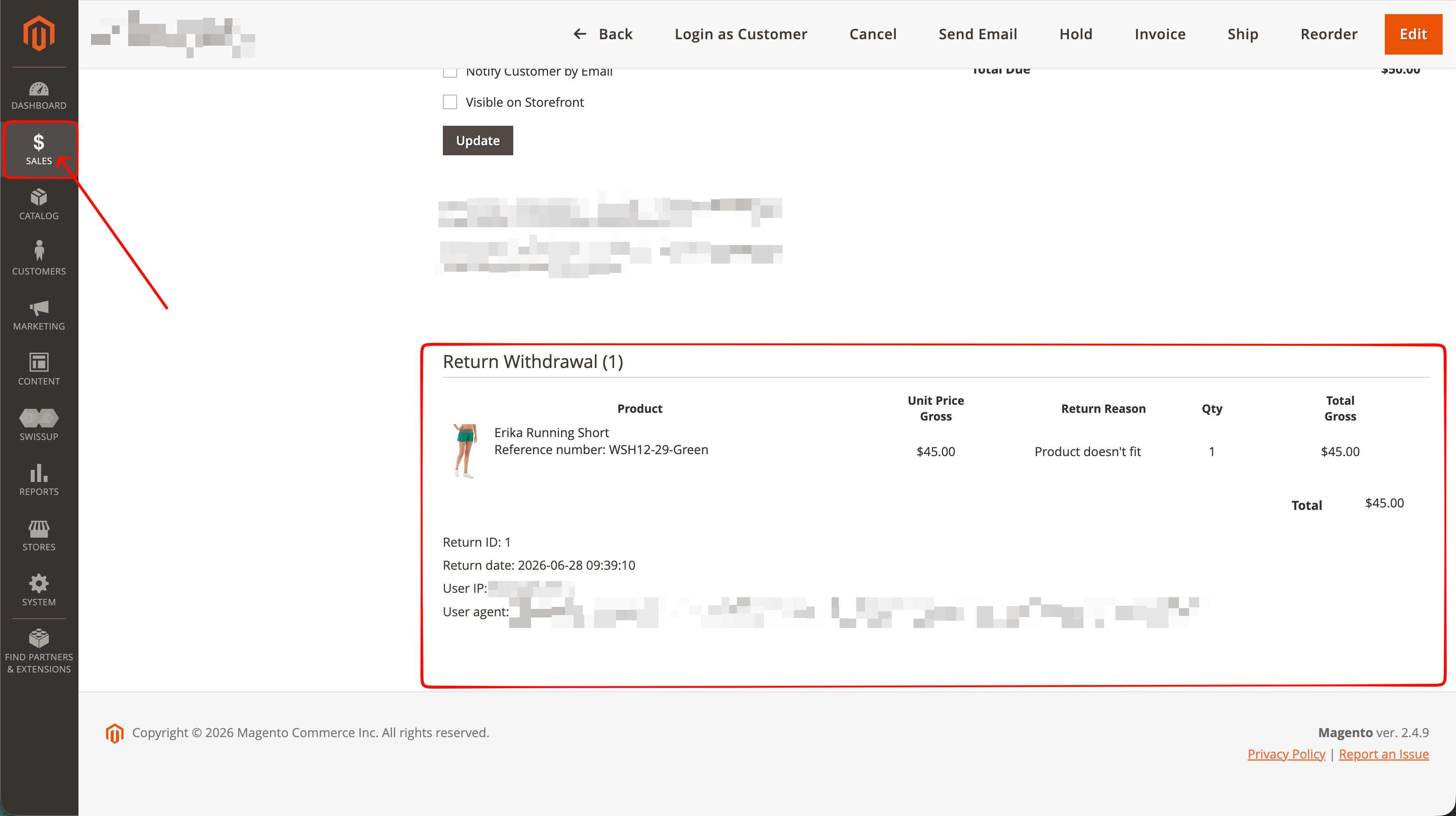
After a customer submits a withdrawal, a 'Return Withdrawal' section appears directly on the order page under Sales → Orders. It lists the returned products, unit price, return reason, quantity and total, along with the Return ID, return date, and technical metadata (user IP and user agent) for compliance documentation.
Data flow
Recorded on the order
Every withdrawal request is stored in your Magento database and shown in the Return Withdrawal section of the corresponding order. Optionally, the order status is updated automatically so requests are easy to spot.
Email confirmation
A confirmation email is sent to the customer automatically on submission, using the template configured in the Email Notifications section. The store can also receive a notification for each new request.